A better Google Tag Manager. And Tag Assistant.
A free Chrome extension that makes Google Tag Manager and Tag Assistant faster to read and nicer to work with. Built by tag managers, for tag managers.
Chrome Web Store listing coming soon.
The container list, before and after
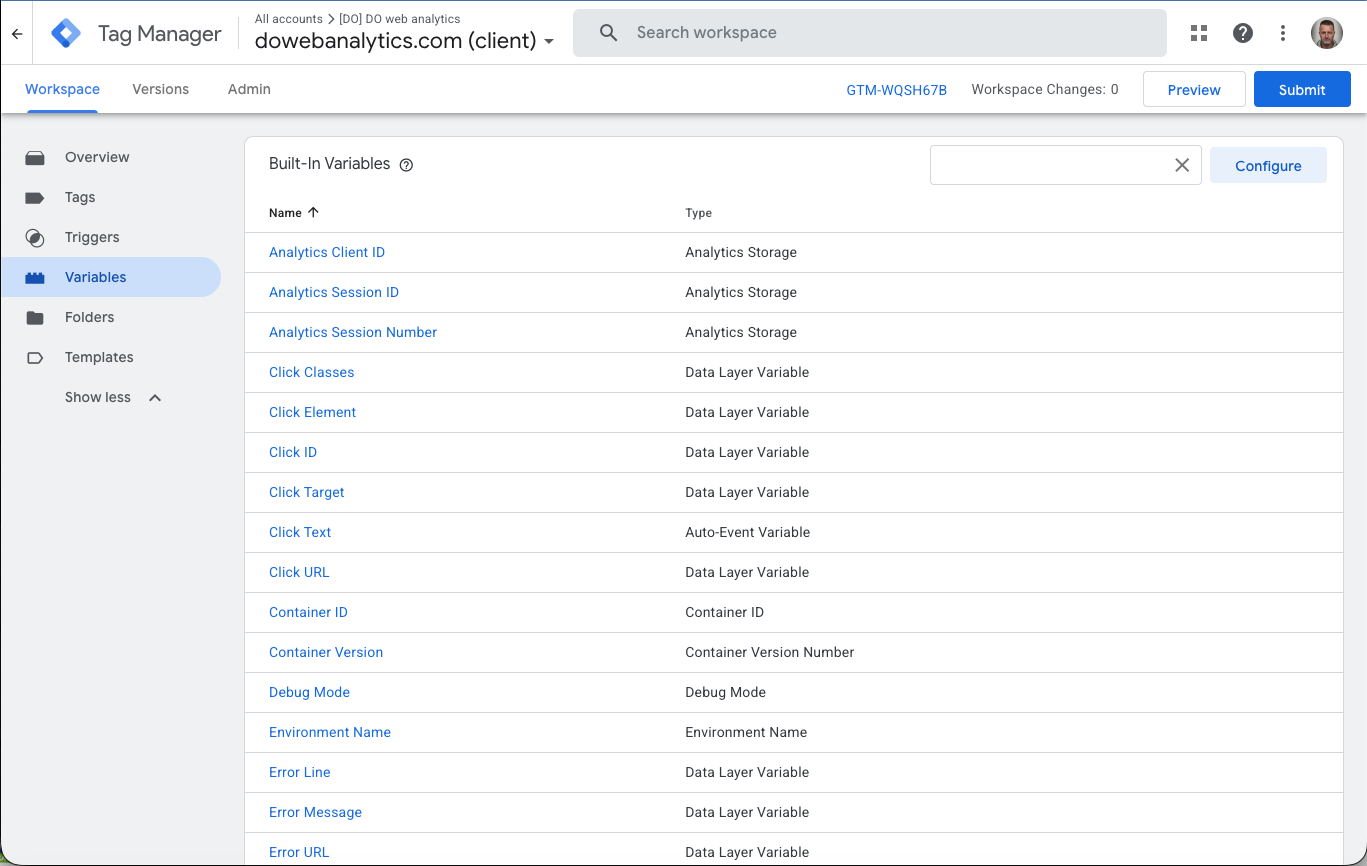
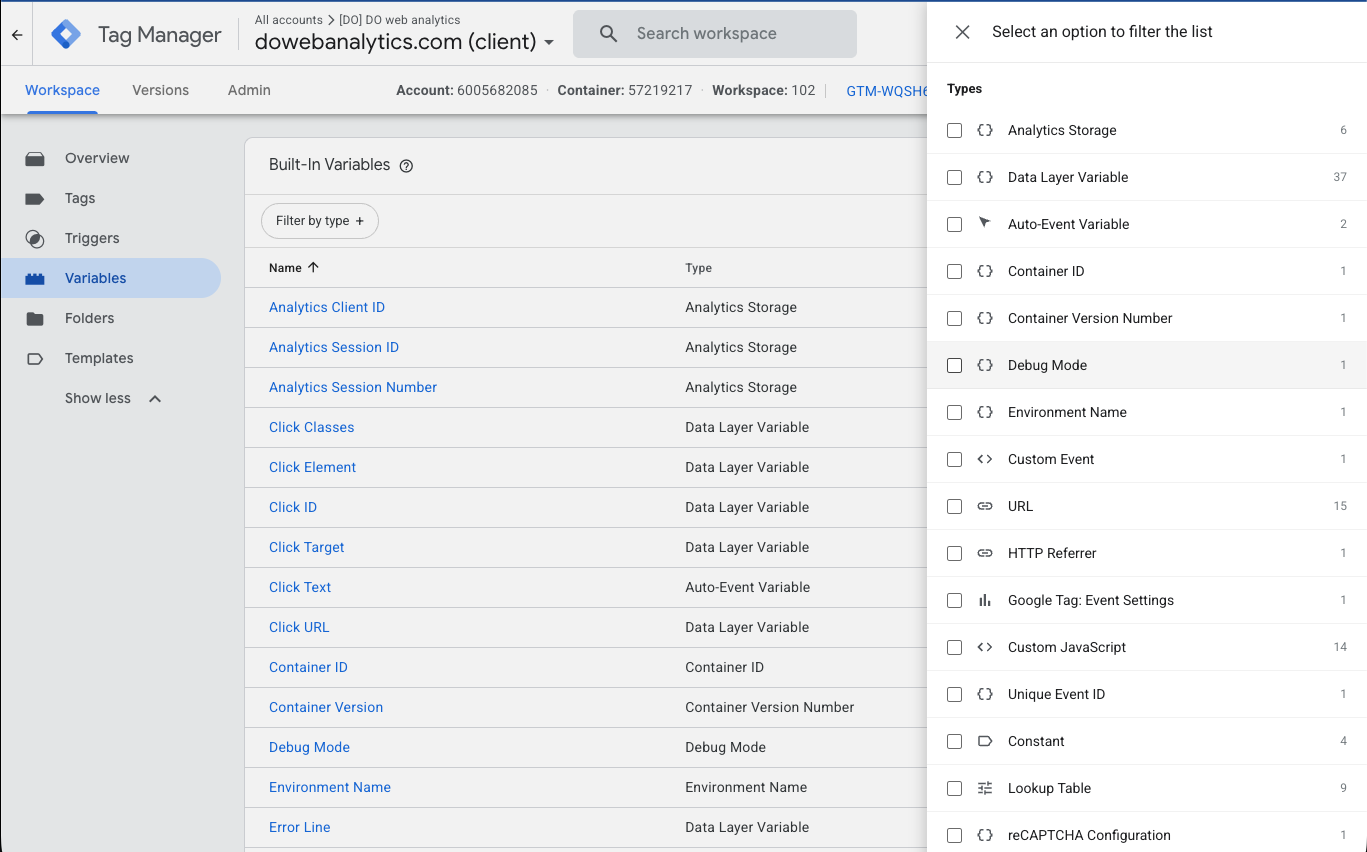
9
Enhancements
1440px
Layout cap removed
0
Data collected, ever
30s
To install
A roomier, filterable GTM
Less scrolling, less squinting, more shipping.
Full-width content area
GTM caps its layout at 1440px. Enhancer unlocks the full width of your screen — tables finally breathe on big monitors.
Type filter for Triggers & Variables
The native "filter by type" drawer exists only for Tags. Enhancer brings the same side-drawer — icons, counts, removable chips — to Triggers and Variables too.
Account / Container / Workspace at a glance
The IDs you keep looking up, pinned in the top bar next to the container ID — with bold labels.
Newest first, always
Lists default to "Last Edited" descending, so the thing you just changed is on top. Your manual sort choices are respected.
Accordion home page
Accounts collapse on the GTM home page. Ten clients, one clean list — expand only what you need.
Debug mode you can actually read
The event list, upgraded.
Auto-sized event sidebar
The left column grows to fit your longest event name — no more gtm4wp.formElementEn… Page titles get ellipsis and a tooltip.
Any dataLayer field, under every event
Pick a field — gtm.uniqueEventId, your event_name, anything — and see its value as a chip under each event in the list.
view_item_listFloating control panel
Change the displayed field and hide noisy events (Container Loaded, Message…) right from the debug window. Preferences persist across sessions.
Clean scanning
While Enhancer reads event parameters, a spinner covers the flicker — values appear all at once, when they're ready.
- 1Download or clone the repo: git clone https://github.com/dowebanalytics/gtm-enhancer.git
- 2Open chrome://extensions in Chrome
- 3Enable Developer mode (top right)
- 4Click Load unpacked and select the extension folder
- 5Open Google Tag Manager or Tag Assistant — done
ROCK YOUR DATA
©2026 DO Web Analytics è un marchio di Guido Barbacci / P.I. 03243240540 / Privacy Policy / Cookie / Modifica consensi